Thinkpad T470 - Fingerprint Sensor Setup

Hello everyone, today's tutorial can be helpful for those who struggle with using and getting the fingerprint device to work on their Thinkpad when running a Linux system!
On my end, I'm using a Thinkpad T470 with a brand new SSD, and I've got PopOs installed – it's running like a charm!
Most of the commands can be found using the python-validity github repo right there
Update apt repo
Since i'm using a ubuntu-like system i'll be using the ubuntu commands, feel free to check the github repo for other linux systems
$ sudo apt remove fprintd
$ sudo add-apt-repository ppa:uunicorn/open-fprintd
$ sudo apt-get update
$ sudo apt install open-fprintd fprintd-clients python3-validity
$ fprintd-enroll
Enroll new fingerprint
Now if you don´t have any error, you should be able to register your fingerprint using the command fprintd-enroll and press your finger to the fingerprint device multiple times until you get the message Enroll result: enroll-completed
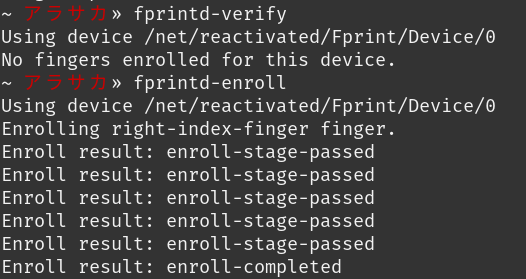
Error list_devices failed:
Now, if, like me, it doesn't work the first time, well, that's okay – nobody's perfect

If you check your python3-validity.service it should show you an error
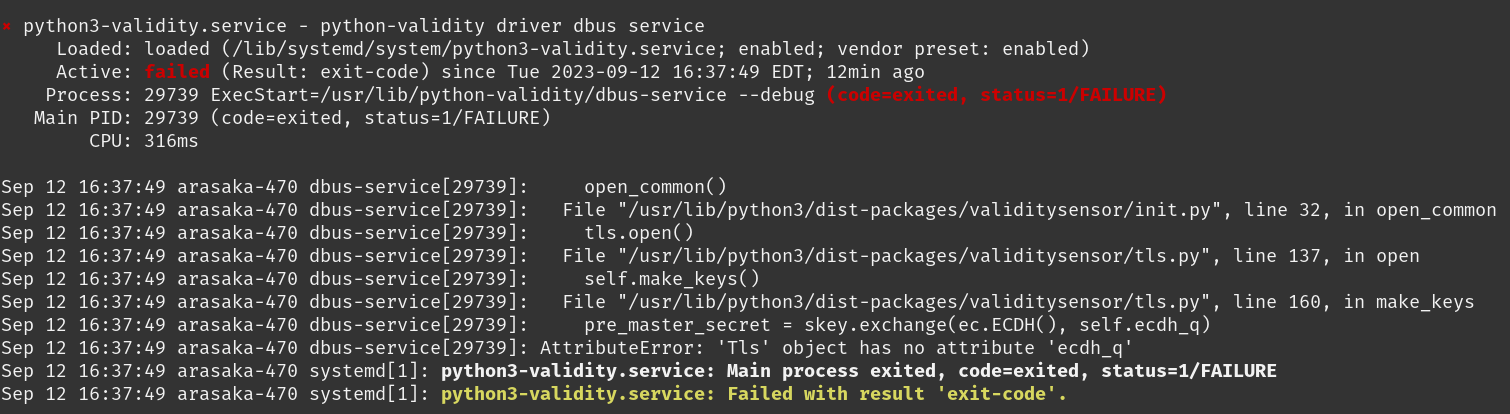
You just need to do a factory reset of your fingerprint device using the command below
$ sudo systemctl stop python3-validity
$ sudo validity-sensors-firmware
$ sudo python3 /usr/share/python-validity/playground/factory-reset.py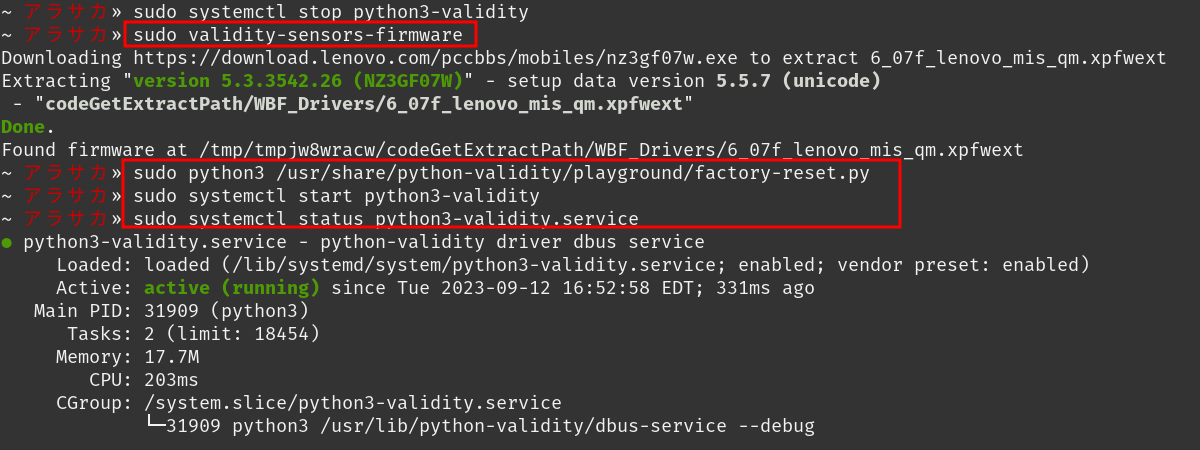
Now you should be able to start the python3-validy.service and enrolling your new fingerprint !
PAM enable
Before doing anything else, you want to enable the dinger-print device to unlock your session or using your finger to run a sudo command !
Do to so you'll need to update the PAM rules using
$ sudo pam-auth-update
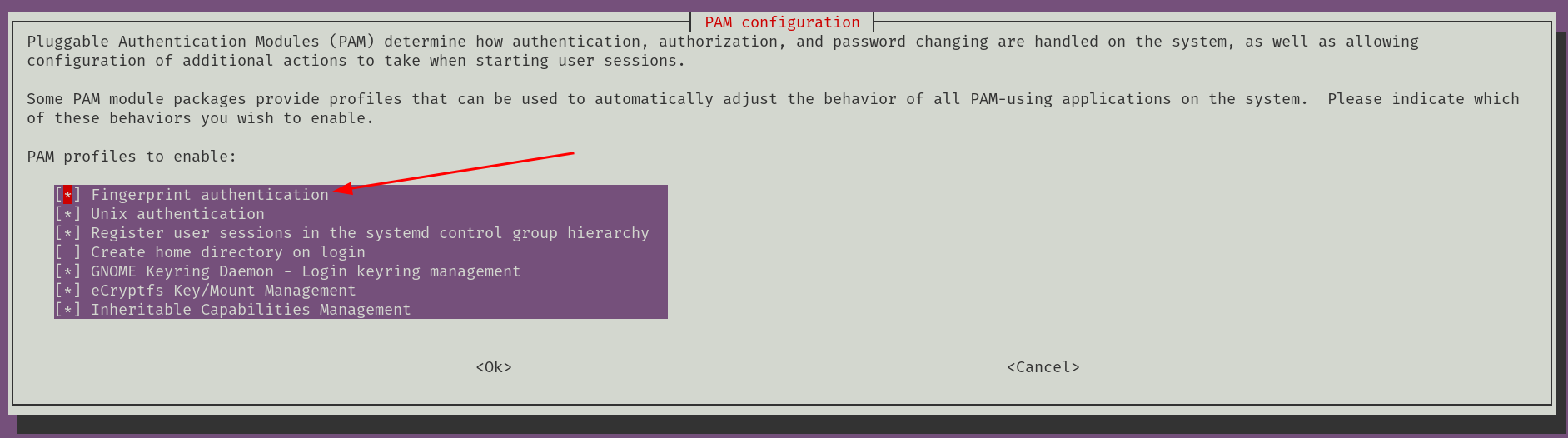
Here are the first lines of my /etc/pam.d/common-auth file
auth    [success=2 default=ignore]    pam_fprintd.so max_tries=1 timeout=10 # debug
auth    [success=1 default=ignore]    pam_unix.so try_first_pass nullok_secure
Now your sensor should be working. Perhaps a reboot wouldn't hurt to ensure everything is functioning correctly!